About this post: Thanks to MalwareHunterTeam for flagging this sample. This analysis and write-up were produced by Claude (Opus 5.5), working as an agent in Claude Code on a REMnux analysis VM. Tools used: msitools, Malcat, a sandboxed Wine/Python environment, osslsigncode/OpenSSL, Censys and ANY.RUN.
TL;DR
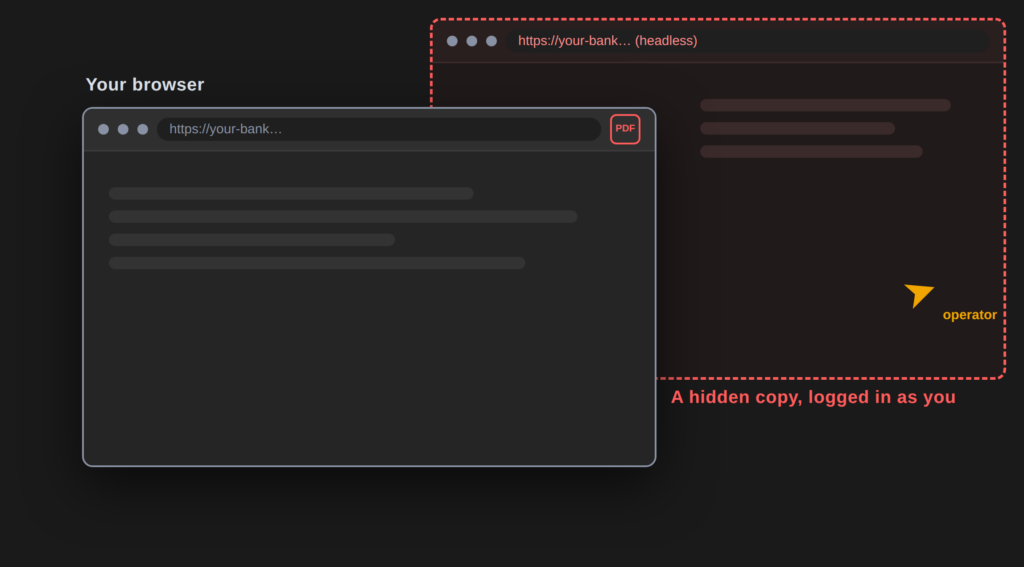
HardwareInfo.msi is a Windows installer that quietly sets up a browser-hijacking kit aimed at Brazilian users. It does not install a program you would recognise. Instead, it drops a private copy of Python plus a renamed genuine Windows program, which is used to load a fake system DLL signed by a Dutch company. The real logic lives in a compiled Python module, also signed. That module closes your browsers, plants a malicious extension in Chrome, Edge and Firefox, and copies your saved passwords and cookies. It also prepares a hidden copy of Chrome that an operator can drive remotely while logged in as you.
- Delivery: a silent, per-user MSI (“HardwareInfo”, author “tsunami hitachi”) that hides itself from Apps & features.
- Signing: two short-lived Microsoft Trusted Signing certificates issued to Technoservice B.V.. The Firefox add-on also carries a signature from Mozilla’s add-on service.
- What it takes: saved passwords, cookies, autofill, history, bookmarks and the list of installed extensions, from Chrome, Edge, Brave, Opera, Vivaldi and Firefox.
- What it plants: an extension called “Documentos Online” (Chromium) or “pulsardrift” (Firefox) that can read cookies and site storage, watch web requests, redirect tabs and capture input on banks’ on-screen keypads.
- How it finds its servers: small encoded
.txtfiles on six Cloudflare-fronted websites, fetched through a different subdomain on every infected machine.
Step 1: an installer that tries not to be noticed
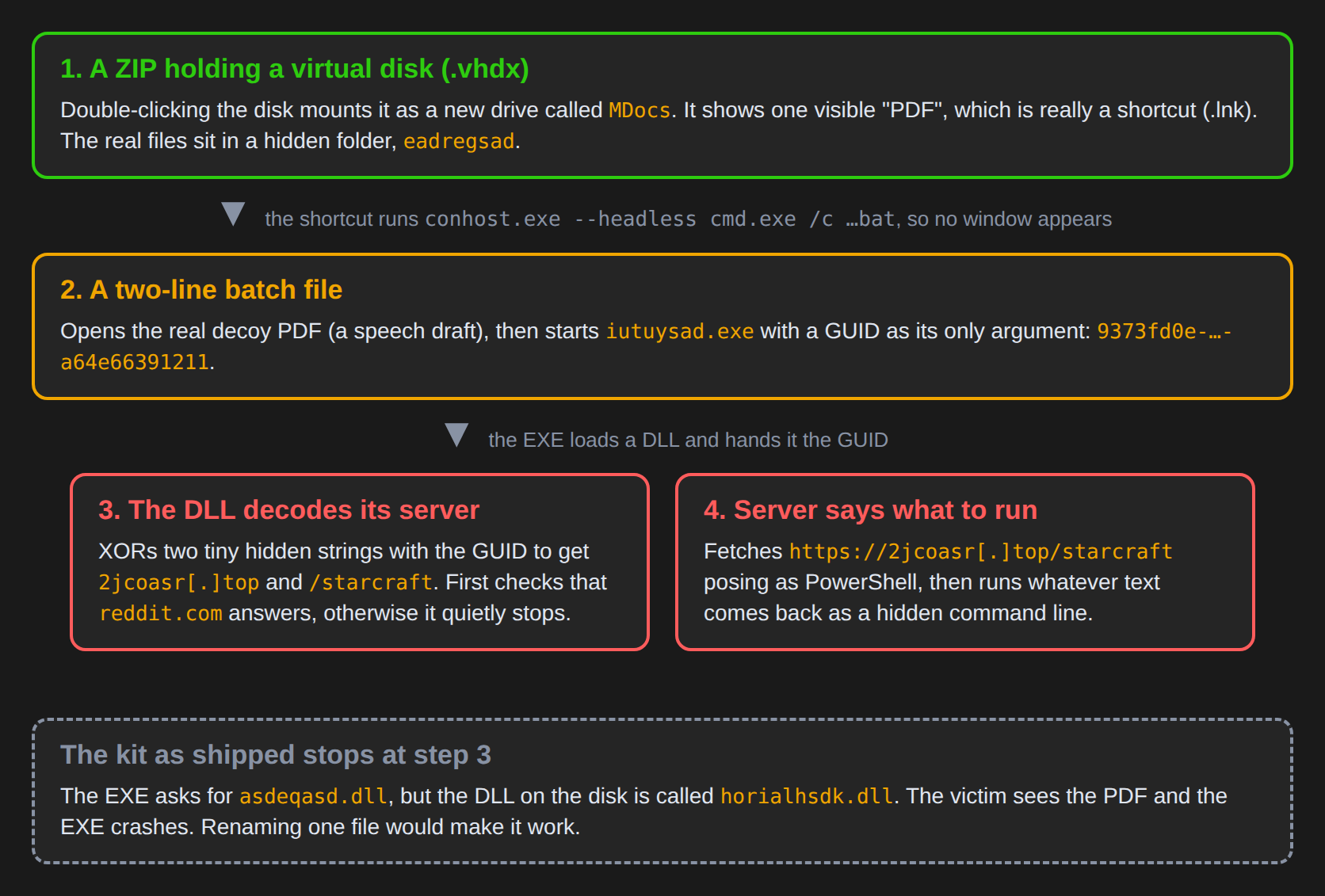
MSI files are Windows’ standard installer packages. This one was built with the free WiX Toolset and is marked as Brazilian Portuguese. It installs only for the current user, so it needs no administrator prompt.
It also goes out of its way to stay invisible:
- It picks a random folder name, such as
%LOCALAPPDATA%\Microsoft\Cache\ED39E0E2\, so the location looks like an ordinary Windows cache. - It marks itself as a “system component”, which keeps it off the list of installed programs, and disables the Modify, Repair and Remove buttons.
- A small script inside the installer then tries to delete the uninstall entry from the registry. That script has a bug (it wraps the product ID in a second pair of braces) and silently fails. The Python code later removes the entry again, so either way the attackers want no trace.
Once the files are copied, the installer starts ChromeUpdate.exe from that folder and exits without waiting.
Step 2: borrowing a real Windows program
ChromeUpdate.exe is not a fake. It is a genuine, unmodified copy of BdeUISrv.exe, a small BitLocker helper that ships with Windows, renamed to look like a Chrome updater.
The trick is DLL side-loading. Programs depend on helper libraries called DLLs, and Windows looks for them in the program’s own folder first. BdeUISrv.exe needs wtsapi32.dll (a Remote Desktop library), so the kit places its own wtsapi32.dll next to it. It’s like leaving a forged note on someone’s desk: they read the first one they find.
The fake DLL is signed with a three-day certificate from Microsoft Trusted Signing (Microsoft’s cloud code-signing service) issued to Technoservice B.V. It checks that it was loaded by ChromeUpdate.exe or BdeUISrv.exe and does nothing anywhere else. This trick defeats sandboxes that test a DLL on its own. It then loads the bundled Python 3.14 runtime and runs a script named _entry.py.
Step 3: a whole toolkit inside one Python file
_entry.py is a single line that decodes and runs a base64 blob (base64 is a way to write binary data as plain characters). The decoded script is a small dispatcher. Depending on a code word passed on the command line, it starts one of several roles: the installer (“worker”), the remote browser (“assist”), a watchdog (“gate”), and a couple of maintenance modes.
All of those roles live in one file, duskwall.pyd. A .pyd is a Python module compiled to native code, here with a tool called Cython. Fourteen modules with harmless-sounding names (copperrack.titandrift, copperrack.etafruit.luann, …) are packed into it, and a small import hook redirects every one of them to this single file. It too is signed by Technoservice B.V., with a different three-day certificate.
The authors left a lot behind. Function descriptions inside the module and a leftover Cython source file explain, in Brazilian Portuguese, what each part is for, often with dates (late August to mid-October 2026). Much of what follows comes from those notes and from the code itself.
Step 4: forcing an extension into every browser
The installer role first closes Chrome, Edge and Firefox. Then it installs its extension without asking:
- Chrome and Edge (and other Chromium browsers): Chromium protects its extension list with a checksum stored in a file called Secure Preferences. The kit recomputes those checksums using the same secret Chrome uses, adds its extension and turns on developer mode. It also suppresses the warning banner that developer mode normally shows. The extension, “Documentos Online” (“Online Documents”) 7.91.443, claims to let you view PDFs in a tab. File names inside it are randomised per machine, so its hashes differ on every victim.
- Firefox: it drops an add-on called “pulsardrift” 4.80.827 into the profile and edits Firefox’s startup files so it loads. This add-on is signed by Mozilla’s add-on signing service (issued 9 October 2026). That signature is what lets an ordinary Firefox load it without complaint.
Step 5: what the extension can do
The extension has access to every website you visit. Once it connects to its server, the operator can:
- request your cookies and site storage for any tab;
- capture or list your open tabs, switch to them, or redirect them;
- read request headers and bodies, and track the links you click;
- receive a list of target websites from the server and get a notification when you visit one;
- capture input on the numeric on-screen keypads that many Brazilian banks use.
Step 6: your passwords, and a hidden browser that is already logged in
The kit’s stealer copies saved passwords, cookies, autofill entries, history, bookmarks and the extension list from Chrome, Edge, Brave, Opera, Opera GX, Vivaldi and Firefox. It sends them to the server as soon as it can.
Chrome now protects cookies with “App-Bound Encryption”, which is supposed to let only Chrome itself unlock them. The kit works around this by starting a browser process in a paused state and injecting a small piece of machine code (shellcode) into it. That code asks Chrome’s own decryption service for the key.
The “assist” role goes further. It launches a hidden, headless copy of Chrome (one with no window), loads the victim’s real profile, injects the stolen cookies and fills in the stolen passwords. The operator then drives that browser remotely, with a live screen stream, mouse and keyboard. To the bank, the session looks like the victim’s own browser on the victim’s own computer.
A lot of effort went into making it look human:
- it fakes the screen size, time zone, language and location to match the victim;
- it moves the mouse along curves;
- it hides the usual signs of an automated browser;
- it even rewrites its own process command line so security tools don’t see the remote-control switch.
Staying put
The kit survives reboots in three ways:
- two scheduled tasks,
ChromeUpdSvcandShellUpdateTask, created from XML files rather than the usual one-line command, which a code comment says is meant to avoid Microsoft Defender’s machine-learning detection; - a batch file,
ChromeUpdSvc.bat, in the user’s Startup folder; - watchdog processes on two local ports that restart each other and the hidden browser if one of them dies.
It can also update itself. The server sends an encrypted zip, the kit checks the new module’s signature, swaps it in, and rolls back if the new version doesn’t come up.
How it finds its servers
The server addresses aren’t in the files. The kit carries six encoded links to small .txt files on ordinary-looking .com websites (two for the installer, two for the Chromium extension, two for Firefox). Each .txt holds the current list of servers, scrambled with a one-byte XOR key. The operators can therefore move their servers without touching the malware.
Each infected machine asks for these files through its own subdomain. That subdomain is the first eight characters of a hash of the machine’s ID, a rotation counter, a role number and the domain name, for example 47225cdd.nyxservicos[.]com. All six domains sit behind Cloudflare and received wildcard certificates (valid for any subdomain) in the same two-day window in late September 2026.
But it’s signed!
Three different signatures appear in this kit:
- Technoservice B.V. (Hellevoetsluis, NL), through Microsoft Trusted Signing, signed both the fake
wtsapi32.dll(serial330007509F90B5CF07C51BB38D00000007509F) and the main moduleduskwall.pyd(serial3300088E35BA2ABEB37F66A86D000000088E35). Each certificate was valid for only three days, and they were issued about two and a half weeks apart. - Mozilla’s add-on signing service signed the Firefox add-on.
A signature tells you who signed a file, not what the file does. With Trusted Signing the keys never leave Microsoft’s hardware, so whoever signed these files had access to the Technoservice B.V. signing account. The certificates have been reported to Microsoft and added to the CertGraveyard.
The lure that probably never shows
The kit contains images and messages for a fake Brazilian e-invoice app, “Aplicativo de Gestão NFS-e Contribuinte”. It asks for a CPF/CNPJ (Brazilian tax ID) and an “access key”, with messages like “Conectando ao servidor fiscal…” (“Connecting to the tax server…”).
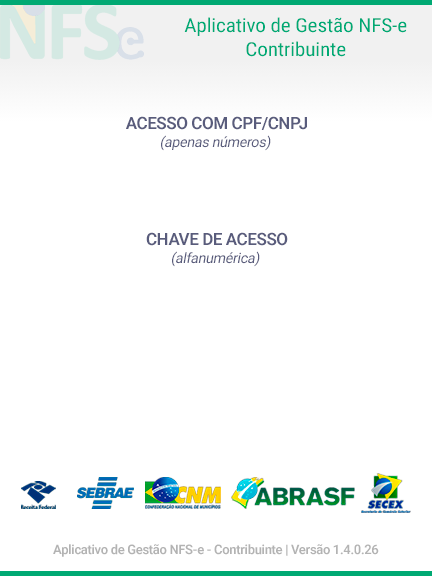
This build doesn’t include the Python library needed to draw windows, so the form almost certainly never appears. The victim sees a short installer and nothing else.
What we couldn’t see
- The live servers. In the sandbox run the kit reached its dead-drop websites but never got a working server address. Its own saved settings show the server never answered. So we have no captured commands, and the remote browser, the cookie-key injection and the extension’s live connection were never seen in action. We describe them from the code and the authors’ notes.
- Why the dead-drops failed. Possible reasons include Cloudflare blocking, the server refusing visitors from outside Brazil, or retired files. We can’t tell which.
- The Startup batch file. We know its name and size, not its contents.
- The previous version. The kit deletes older extensions named “Intel Drivers” or “Intel Graphic Drivers”, which suggests an earlier campaign under that name.
Advice
For regular users:
- Don’t run installers you didn’t go looking for, especially ones that claim to be hardware tools, document viewers or tax apps.
- Check your browser’s extensions page. If you see “Documentos Online”, “pulsardrift”, “Intel Drivers” or anything you didn’t install, remove it and change your passwords from a clean device. Log out of all sessions for your bank and email.
- In Chrome or Edge, an unexpected “Developer mode” toggle switched on in the extensions page is a red flag.
For defenders:
- Hunt for
ChromeUpdate.exe(reallyBdeUISrv.exe) running from%LOCALAPPDATA%\Microsoft\Cache\<8 hex>\, especially with the arguments_primereach,_topaznode,_bootor_edge. - Alert on
wtsapi32.dllloaded from outsideSystem32, and onpython.exe -B …\copperrack\gausstwist.py. - Look for the scheduled tasks
ChromeUpdSvcandShellUpdateTaskand forStartup\ChromeUpdSvc.bat. - Watch for writes to Chrome/Edge
Secure Preferencesby processes other than the browser, and for Firefox add-on ID{df9b5af8-37e1-47cf-9438-85ec86c970cc}. - Block or monitor the dead-drop domains and any subdomain of them.
IOCs
| Type | Value | Note |
|---|---|---|
| SHA256 | 8924cdc34450007e1a31a34ac7a11f1f358c2535ca995d11e60344d17eadb2d2 |
HardwareInfo.msi |
| SHA256 | 98e3bbaced5719581f12aaf603eb9c08519b8a988c202cf085b2c6cd4a36276f |
wtsapi32.dll (side-loaded, signed Technoservice B.V.) |
| SHA256 | edd98ca9eefab4ebc1d5c474aabb5f776f40214923857ae94777827fdef0a80e |
duskwall.pyd (main module, signed Technoservice B.V.) |
| SHA256 | 1d0f1d845e9a942547dc84e222f2ca559a8fe6587a8e56d6669e2a61145aeb70 |
_entry.py |
| SHA256 | 04f8d9f2b357c5861c5f60e76a10c57559b4d7f6b744fd686b2343aa43663f40 |
hexacase (compressed config with both extensions) |
| SHA256 | 47b8030db237d54041fb2006c67a6c80938dd1d070ff69d1e487c339b8f82022 |
pulsardrift Firefox add-on (.xpi) |
| Signer | Technoservice B.V., serials 330007509F90B5CF07C51BB38D00000007509F and 3300088E35BA2ABEB37F66A86D000000088E35 |
Microsoft ID Verified CS EOC CA 04 |
| URL | hxxps[://]nyxservicos[.]com/xl/fl9f03a24b21[.]txt |
dead-drop (installer) |
| URL | hxxps[://]bestnews4u[.]com/bs/fl6c844fb620[.]txt |
dead-drop (installer) |
| URL | hxxps[://]niagentech[.]com/nt/fl5dd4b8c073[.]txt |
dead-drop (Chromium extension) |
| URL | hxxps[://]dvacontabil[.]com/di/flc2bf0028dc[.]txt |
dead-drop (Chromium extension) |
| URL | hxxps[://]grupoathos[.]com/jm/fl60e12b8178[.]txt |
dead-drop (Firefox add-on) |
| URL | hxxps[://]carlosmarket[.]com/sw/fl0fcb1cb536[.]txt |
dead-drop (Firefox add-on) |
| Extension | “Documentos Online” 7.91.443 | Chromium; ID differs per machine |
| Extension | “pulsardrift” 4.80.827, {df9b5af8-37e1-47cf-9438-85ec86c970cc} |
Firefox; signed by Mozilla’s add-on service |
| Scheduled task | ChromeUpdSvc, ShellUpdateTask |
persistence |
| File | %APPDATA%\Microsoft\Windows\Start Menu\Programs\Startup\ChromeUpdSvc.bat |
persistence |
| Path | %LOCALAPPDATA%\Microsoft\Cache\<8 hex>\ChromeUpdate.exe |
genuine Windows BdeUISrv.exe used as host; hunt by path, not hash |
Closing
This kit is a good example of how much work now goes into browser fraud. The stealing is only the start. The bigger effort is a remote browser that looks, to a bank’s fraud checks, exactly like the victim. If you have seen “Documentos Online”, “pulsardrift” or the older “Intel Drivers” extension in the wild, or have one of the dead-drop .txt files, we would love to compare notes.