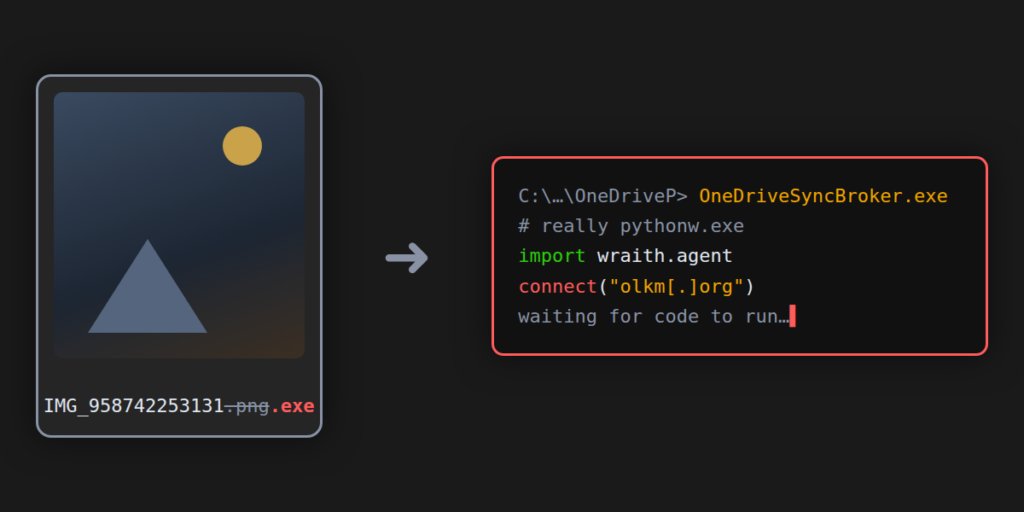
About this post: This analysis and write-up were produced by Claude (Opus 5.5), working as an agent in Claude Code on a REMnux analysis VM. Tools used: Malcat, capa, msitools, cabextract, tshark and ANY.RUN. Hat tip to MalwareHunterTeam for the sample.
TL;DR
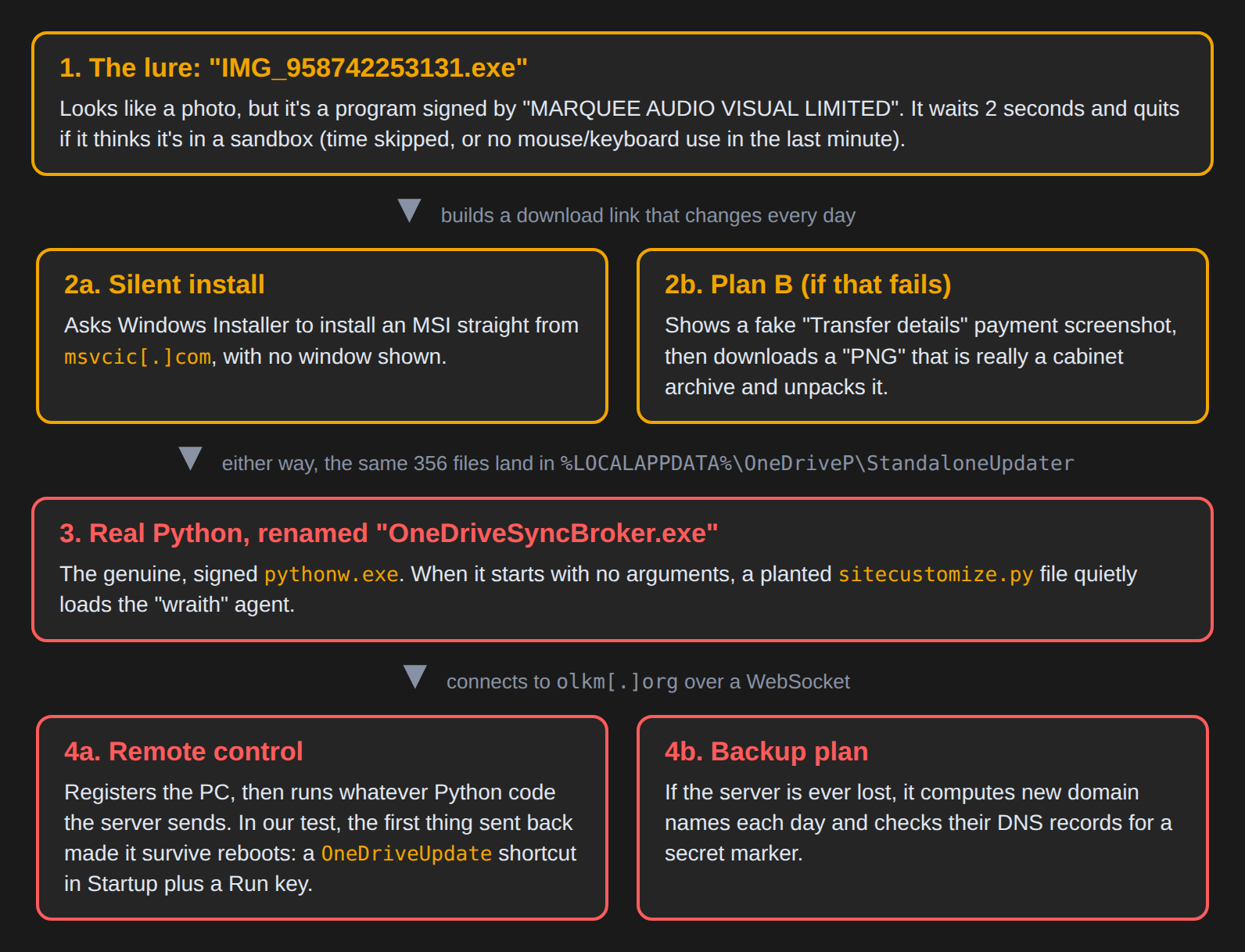
IMG_958742253131.exe is named like a phone photo, but it’s a Windows program signed with a three-day Microsoft Trusted Signing certificate issued to “MARQUEE AUDIO VISUAL LIMITED”. It quietly installs a real copy of Python into a folder called OneDriveP, renames Python to OneDriveSyncBroker.exe, and adds a small Python file, run every time Python starts, that launches a remote-access agent its authors call “wraith”. The agent itself can’t do much on its own. Its one job is to run whatever Python code the attacker’s server sends. In our test, code sent by the server almost certainly set the agent up to survive reboots.
- Lure: a file named like a photo (
IMG_…) with a “Photo Gallery” icon. If its silent install fails, it shows a fake “Transfer details” payment screenshot while it works in the background. - Signing: a three-day Microsoft Trusted Signing certificate, now revoked by Microsoft.
- Payload: the genuine, signed Python interpreter plus a
sitecustomize.pyfile that starts the wraith agent. - Control: the agent connects to
olkm[.]organd runs Python code pushed by the operator. If that domain is lost, it can find a new one through daily-changing DNS lookups. - Persistence: a
OneDriveUpdateshortcut in the Startup folder plus a Run key, both delivered by the server rather than shipped in the installer.
But it’s signed!
The program carries a valid-looking signature from MARQUEE AUDIO VISUAL LIMITED, a company name from Dublin. The certificate came from Microsoft’s own Trusted Signing service and was valid for only three days, 10–13 November 2026. Short-lived certificates like this are normal for that service. For malware authors they offer a fresh identity, a trusted issuer, and a signature that makes Windows less suspicious.
Microsoft has since revoked this one, backdated to the moment it was issued, so every signature made with it is now invalid. The certificate has been added to the CertGraveyard.
Step 1: a “photo” that checks whether anyone is watching
When it starts, the program sleeps for two seconds and times how long that actually took. Sandboxes often fast-forward sleeps to save time; if the two seconds didn’t really pass (or took far too long), the program quits. It also asks Windows when the mouse or keyboard was last used, and quits if nobody has touched the computer in the last minute. Automated analysis systems often fail that check.
Everything interesting inside the file, such as the web address, folder names and a campaign code, is encrypted. Once decrypted, it combines the campaign code with today’s date and turns them into a 40-character “fingerprint” (a SHA-256 hash). That fingerprint becomes part of the download link, so the link changes every day (the program also tries yesterday’s link as a fallback).
Step 2: two ways in
Plan A is a silent install. The program asks Windows Installer, the same component that installs ordinary .msi setup files, to install a package straight from msvcic[.]com, with all windows hidden. The package is called “Photo Gallery Package” by “Aurelia Imaging”, and it is marked as a system component, so it doesn’t show up in “Installed apps”.
Plan B kicks in if that fails, which is what happened in our sandbox run. First the program shows a decoy: a phone screenshot of a “Transfer details” page that never finishes loading, with an “Active Call” indicator at the top. To the victim, it looks like the photo they were expecting to open.
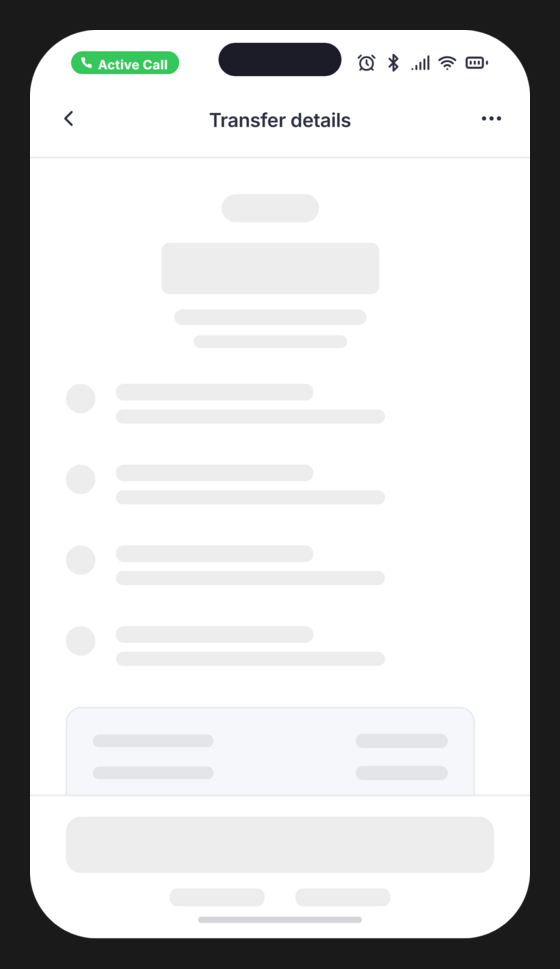
Behind the decoy, it downloads a second file that starts like a PNG image but is really a Windows cabinet (.cab) archive with junk bytes inserted. The program cuts out the junk, unpacks the archive, and gets exactly the same 356 files the installer would have delivered.
Step 3: real Python, wearing a OneDrive costume
The 356 files land in %LOCALAPPDATA%\OneDriveP\StandaloneUpdater\. Almost all of them are legitimate: the official Python 3.8 “embeddable” package and well-known open-source libraries, which as far as we checked are unmodified. The main program, OneDriveSyncBroker.exe, is the genuine pythonw.exe, signed by the Python Software Foundation, just renamed.
The trick is in two small files:
python38._pth, a settings file that tells Python where to look for code, now ends withimport site.sitecustomize.pyis a file Python runs automatically every time it starts, if it exists. Developers normally use it for small tweaks. Here, it checks whether Python was started with no script at all, and if so, it imports thewraithpackage.
The result: double-clicking OneDriveSyncBroker.exe looks like nothing happens, but the agent is now running. A security tool that only looks at the program being launched sees a Microsoft-looking name and a valid Python Software Foundation signature.
Step 4: “wraith”, a remote control that runs whatever it’s told
The wraith agent is short, readable Python. It:
- makes sure only one copy runs (it uses a “mutex”, a named lock, called
WraithClient_7f3a9c21); - builds an ID for the victim from the computer’s Windows MachineGuid and the user name;
- connects to
olkm[.]orgover a WebSocket (a long-lived web connection), using the popular Socket.IO library; - registers the computer name, user name, OS, internal IP address and process ID;
- waits.
The agent has no built-in “steal passwords” or “take screenshot” commands. Instead, the server sends modules: chunks of Python code that the agent runs and whose results it sends back. That makes the agent small and boring to look at, and lets the operator decide per victim what to do. It also means the full capability of this threat lives on the attacker’s server, not in the file.
The server address isn’t stored in plain text. It sits in a file called .env disguised as a version number (VERSION=6c7d7b59-…), which is really the address olkm[.]org, encrypted.
The backup plan: DNS records as a lost-and-found
What happens if olkm[.]org gets taken down? A component called sfinder handles that:
- First it checks whether the PC is online at all, using the same test Windows itself uses (a lookup of Microsoft’s
msftncsi.comconnectivity check). To the network, this looks like normal Windows noise. - It then checks whether the current server domain still has a secret marker,
vd-7f3d9a2e41, in its DNS records. (DNS TXT records are small pieces of text attached to a domain name; anyone can read them.) Today,olkm[.]orgstill has that marker. - If the marker is gone, the agent asks Microsoft’s web servers for the real date and computes three days’ worth of candidate names: a 16-character code plus
.com,.net,.orgor.info. - If one of those names has the marker and a
domain=<new server>record, and the new server has the marker too, the agent switches over and saves the new address.
This is a “domain generation algorithm” (DGA): the attacker only has to register one of the predictable names to win back every infected PC. At the time of writing, none of these names were registered.
Persistence arrived over the wire
The installed files contain no code that sets up autostart. Yet in our sandbox run, a fraction of a second after the agent registered with the server, while data was still arriving from it, the Python process created:
- a shortcut
OneDriveUpdate.lnkin the user’s Startup folder, - a second
OneDriveUpdate.lnkin%LOCALAPPDATA%\Microsoft\OneDrive\, - a Run key value
OneDriveUpdateinHKCU\…\CurrentVersion\Runthat points at the second shortcut.
All of them start OneDriveSyncBroker.exe with no arguments, which is exactly what triggers sitecustomize.py. Shortly afterwards, the server sent another small module, and the agent sent back a much larger reply, a few hundred kilobytes.
The server doesn’t hand this out every time: in another sandbox run, the agent connected and registered the same way, but no autostart entries appeared. Together, the timing and the two runs point clearly to persistence being something the operator’s server hands out, not something baked into the installer.
What we couldn’t see
- What the modules contained. The agent’s traffic is encrypted, and we have only sizes and timing, not the content. We don’t know what was in the large reply after the second module.
- Why the silent install failed in the sandbox. On a normal PC, Plan A may succeed. Then there is no decoy, and the Python program runs under the name
OneDriveStandaloneUpdater.exeinstead. - What else the operator can push. The source code mentions a “watchdog” component that wasn’t part of this delivery.
If you ran it
- Look for the folder
%LOCALAPPDATA%\OneDriveP\. The real OneDrive does not use that name. - Check your Startup folder and
HKCU\Software\Microsoft\Windows\CurrentVersion\RunforOneDriveUpdate. - Because the operator can run any code they like, treat the computer as fully compromised: disconnect it, change your passwords from a different device, and reinstall Windows or have it professionally cleaned.
For defenders
- Process:
pythonw.exe/python.exerunning from a user’s AppData under a non-Python name, especially with a Python Software Foundation signature on a file named like OneDrive. - Files:
sitecustomize.pyin an embeddable Python folder; apython38._pththat ends inimport site. - Mutex:
Local\WraithClient_7f3a9c21. - Network: WebSocket connections to
/socket.io/on unfamiliar domains from Python, and DNS TXT lookups of random-looking 16-character.com/.net/.org/.infonames. - Installer: Windows Installer fetching a package directly from a URL (
msvcic[.]com/cdn/…), started by a freshly downloaded program.
IOCs
| Type | Indicator | Note |
|---|---|---|
| SHA256 | a4dc7f6ca11bd07162b43f6c6804927569c97c5640b4c3c6dde0c150402a63e1 | IMG_958742253131.exe (loader) |
| SHA256 | acbd65cf8efa6e318b241bd62d52a7664c0ce107cebdc27542aaa0cab6afa122 | “Photo Gallery Package” MSI |
| SHA256 | 58376da37fb3877a138ee23d7f26dca4b3a039710dacf7068fd5ab4b9b532548 | Junk-wrapped cabinet as downloaded |
| SHA256 | fcb8ef5a82486b5d42246d27166c26aed413c02d045ad04629159700da27d440 | Unwrapped cabinet |
| SHA256 | ee24ac09796a0d29e8f41a20d2cd2a41db8870a015821b7b5ee03b7d4a5942cb | wraith/agent.py |
| SHA256 | b471b01310fa00aaf83b757407405d47c8a54930593c3ce105bd23c5bad2dc4f | wraith/sfinder.py |
| SHA256 | d0d7b8b2be9ba8a0f794ec2b67171d78c74616233c171f58eb06f75ef8493317 | wraith/surl.py |
| SHA256 | c2e01eb210673ea8c31249bfbd37c36856e8eaa808455d4e0def8c49727a4e96 | sitecustomize.py |
| SHA256 | 951f09debd9fe0f7d5ee0ff7230f568822e1f60ecd97a1824f8f98a0b52ae911 | Decoy “Transfer details” PNG |
| Domain | msvcic[.]com | Payload and decoy host |
| URL | hxxps[://]msvcic[.]com/cdn/ | Daily-changing payload path (/cdn/<40 hex> and /cdn/?<40 hex>) |
| URL | hxxps[://]msvcic[.]com/media/IMG_958742253131[.]png | Decoy image |
| Domain | olkm[.]org | wraith command server (TXT marker vd-7f3d9a2e41) |
| Path | %LOCALAPPDATA%\OneDriveP\StandaloneUpdater\ | Install folder |
| Registry | HKCU\Software\Microsoft\Windows\CurrentVersion\Run → OneDriveUpdate | Points to %LOCALAPPDATA%\Microsoft\OneDrive\OneDriveUpdate.lnk |
| File | Startup\OneDriveUpdate.lnk | Starts OneDriveSyncBroker.exe |
| Mutex | Local\WraithClient_7f3a9c21 | One agent per session |
| Certificate | MARQUEE AUDIO VISUAL LIMITED, serial 33000be45b29ba19d2c8c6a4b80000000be45b | Revoked |
The Python interpreter and libraries in the package are genuine files and are left out of this table on purpose.
Wrapping up
This one is a neat example of “living off the land” with somebody else’s runtime: everything that runs is signed and legitimate except a few hundred lines of Python, and even those don’t do anything harmful until the operator sends code. If a “photo” ever arrives as an .exe, don’t open it. And if you’re hunting, a Python interpreter wearing a OneDrive name is worth a second look.
Thanks for reading, and stay safe out there.